Release Notes 27.0.16399.0 | November 13, 2025
Requirements
Business Central application platform 27.0 or higher.
Enhancements
Create "Y" date lot algorithms
ID: 14280
When setting up the date format in a lot algorithm, you can now select Y, which will display the last digit of the current year in the generated lot number.
For example, if Y is in the lot algorithm and the year is 2025, then 5 will be in the generated lot number.
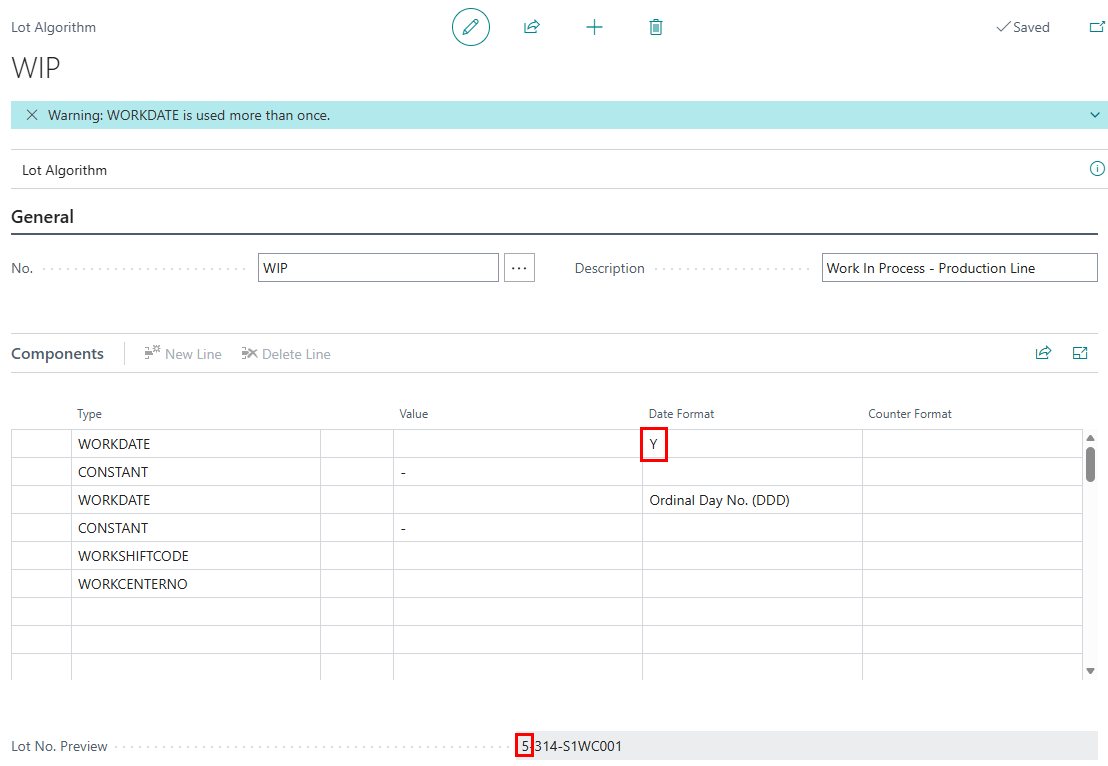
To add Y to a lot algorithm
- When creating a lot algorithm, select a type that has a Date data type, and enter Y in the Date Format field.